
Mesh WiFi Systems in Nigeria
Mesh WiFi uses a main unit and additional nodes to distribute an existing internet connection. For a Nigerian flat, duplex or small office, choose from the room layout, cabling and busiest devices—not a promised whole-house coverage figure.
Compare productsD-Link EXO AC3000 Smart Mesh Wi-Fi Router- DIR-3060
WiFi: AC3000
Linksys Hydra Pro 6 MR5500 - Dual-Band AX5400 Mesh WiFi 6 Router
WiFi: AX5400
D-Link DIR-2660 EXO AC2600 Smart Mesh Wi-Fi Router
WiFi: AC2600
Synology Wireless Tri-Band Mesh Wi-Fi Router MR2200ac
The Synology Wireless Tri-Band Mesh Wi-Fi Router MR2200ac is a mesh WiFi system that spreads one network across several linked units. Key detail — Type: mesh WiFi system.
Linksys Max-Stream MR8300 - Tri-Band AC2200 Mesh Wi-Fi 5 Router
WiFi: AC2200
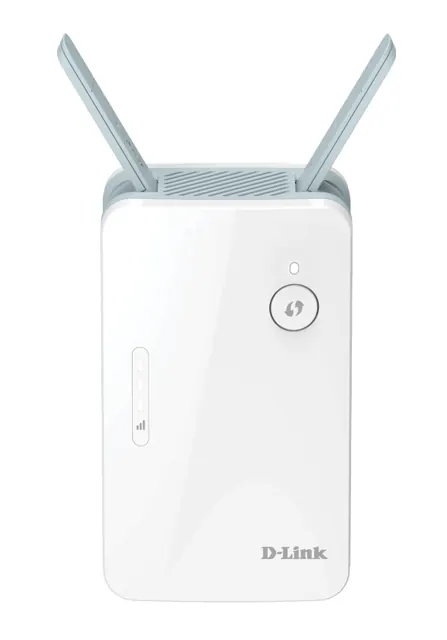
D-Link E15 Wireless AX1500 Wi-Fi 6 Mesh Dual Band (11ax/ac/b/g/n/a/k/v)
WiFi: AX1500

TP-Link HX520 Dual-band (2.4 GHz / 5 GHz) Wi-Fi 6 (802.11ax) White 3 Internal
WiFi: Wi-Fi 6
ASUS ZenWiFi BT8 (2-pack) Tri-band (2.4 GHz / 5 GHz / 6 GHz) Wi-Fi 7 (802.11be) White 3 Internal
WiFi: Wi-Fi 7
ASUS ZenWiFi BT10 Tri-band (2.4 GHz / 5 GHz / 6 GHz) Wi-Fi 7 (802.11be) White 3 Internal
WiFi: Wi-Fi 7
ASUS ZenWiFi BT10 (2pk) Tri-band (2.4 GHz / 5 GHz / 6 GHz) Wi-Fi 7 (802.11be) White 3 Internal
WiFi: Wi-Fi 7
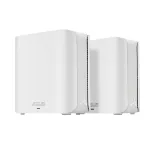
ASUS ZenWiFi BD4 (2-pack EU+UK) Dual-band (2.4 GHz / 5 GHz) Wi-Fi 7 (802.11be) White Internal
WiFi: Wi-Fi 7
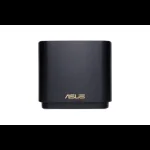
ASUS ZenWiFi Mini XD4 wireless router Gigabit Ethernet Tri-band (2.4 GHz / 5 GHz / 5 GHz)
Ethernet: Gigabit
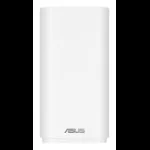
ASUS ZenWiFi BD4 BE3600 Outdoor 1 Pack Dual-band (2.4 GHz / 5 GHz) Wi-Fi 7 (802.11be) White 2 Internal
WiFi: BE3600
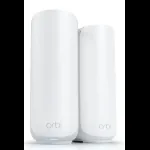
NETGEAR Orbi 370 Dual-band (2.4 GHz / 5 GHz) Wi-Fi 7 (802.11be) White 2 Internal
WiFi: Wi-Fi 7
Mesh, extender or access point?
An extender can help one weak area when it receives a usable signal. Mesh coordinates compatible nodes as one system. Wired access points are worth comparing for offices with Ethernet cabling, VLANs or centrally managed wireless. A mesh kit does not supply mobile data or a Starlink subscription.
Wireless backhaul versus Ethernet backhaul
Wireless nodes use radio capacity to communicate with each other, so walls and placement affect both the backhaul and your devices. Ethernet backhaul can avoid that wireless hop when the exact kit supports it. Dual-band and tri-band describe radios, not a guarantee of dedicated backhaul or internet speed.
Size the kit from the building
Place an extra node where it still receives a good connection, not inside the dead zone. Compare a two-pack and three-pack against floors, concrete walls and available sockets. Check each model’s Ethernet port speed: a Fast Ethernet port can bottleneck a faster wired internet service.
Using mesh with fibre, a SIM router or Starlink
Confirm the internet equipment has a suitable Ethernet output. Starlink hardware generations have different Ethernet and adapter requirements. Choose router or access-point mode deliberately to avoid unnecessary double NAT. Do not assume TP-Link Deco, Tenda Nova and another brand’s nodes form one mesh together.
Power cuts and total cost
Every node and the upstream modem or terminal needs power. Budget for sockets, cabling, installation and compatible backup power separately. Ask for a layout assessment when several floors or thick walls make a wireless-only design uncertain.
Questions before you choose
Will mesh make my internet subscription faster?
It can improve how a working connection reaches another room; it cannot increase your operator’s plan speed or fix a poor upstream connection. Test beside the main router before choosing more nodes.
Can I mix Deco and Nova nodes?
Do not assume cross-brand mesh compatibility. Check the manufacturer’s compatibility list for every node and firmware version, including whether mixed models lose particular features.
Does every mesh node have Gigabit Ethernet?
No. Compare the exact model’s port count and link speed. The wireless speed class is not the Ethernet specification.
Can mesh work with Starlink?
A compatible mesh system can use a suitable Ethernet handoff. Check your Starlink generation, required adapter, bypass settings and the mesh system’s operating modes before ordering.